Apple: SupplierCare Webform

The Supplier Care platform primarily facilitates the collection and distribution of data between Apple and its suppliers. This process involves extensive management of documents, licenses, processes, and more. The primary method for data input has been through the use of Excel documents.
However, following a series of heuristic evaluations, interviews, and feedback analysis, significant usability issues have been identified, particularly concerning the uploading and management of content through Excel files.
How could this be fixed?
The primary goal of the Webform Project is to completely minimize reliance on Excel files in the content uploading process. The project strives to create a more user-friendly and efficient system, building upon insights derived from the heuristic evaluation. The emphasis is on reducing or eliminating user challenges associated with the usage of Excel within the Supplier Care platform.

Understanding Users' Needs: Immersion and Exploration


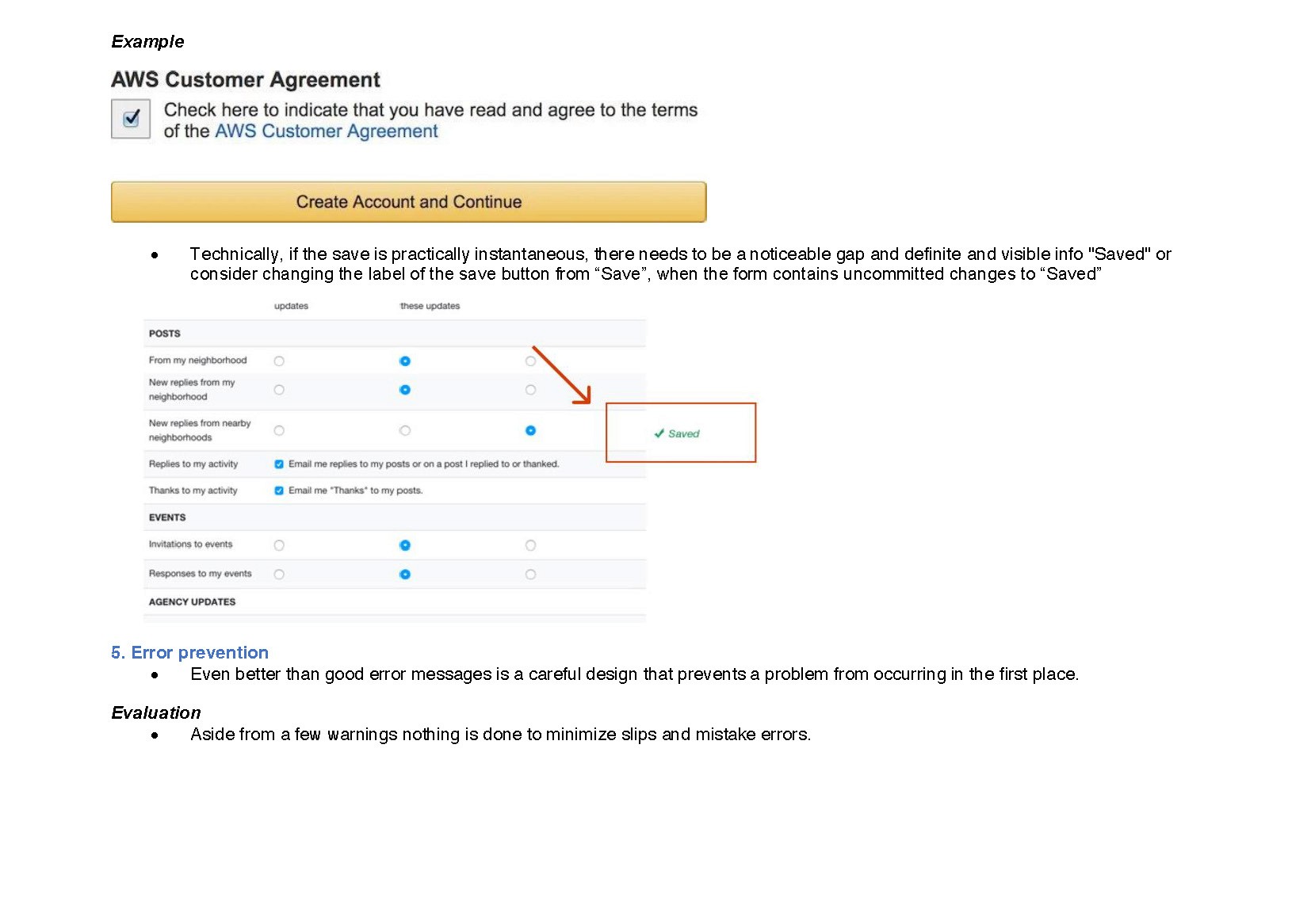


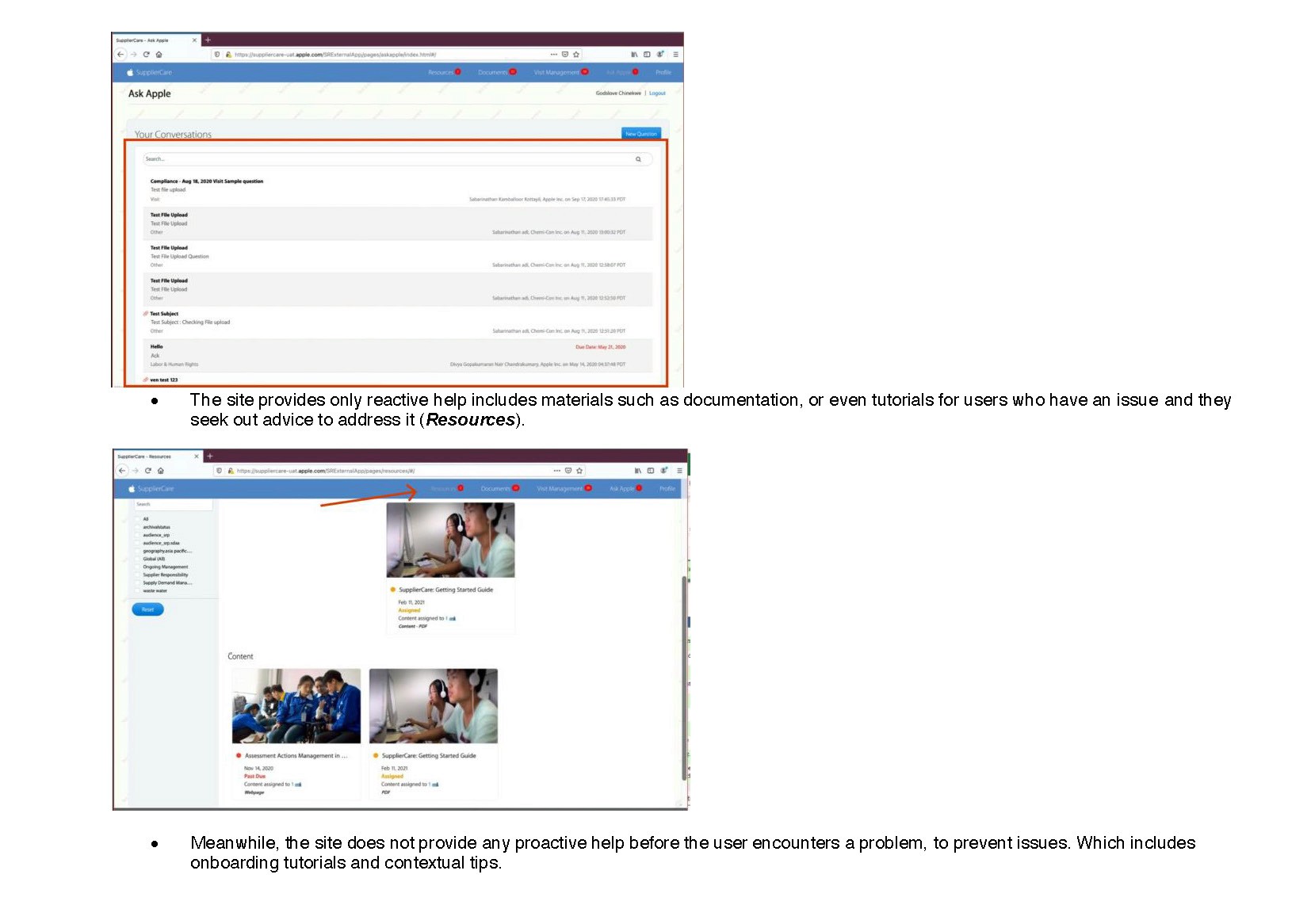

User Interviews:
Interview Analysis


Ease of Use: Google Forms & Wufoo win for simplicity, while Jotform & SurveyMonkey have steeper learning curves due to more features. Typeform strikes a balance.
Customization: Jotform offers the most customization options, followed by SurveyMonkey and Typeform. Google Forms & Wufoo offer limited visual customization.
Features: SurveyMonkey has the most advanced features for complex surveys(involving logic jumps), followed by Jotform. Google Forms, Wufoo, and Typeform cater more to basic needs.
Online Reviews


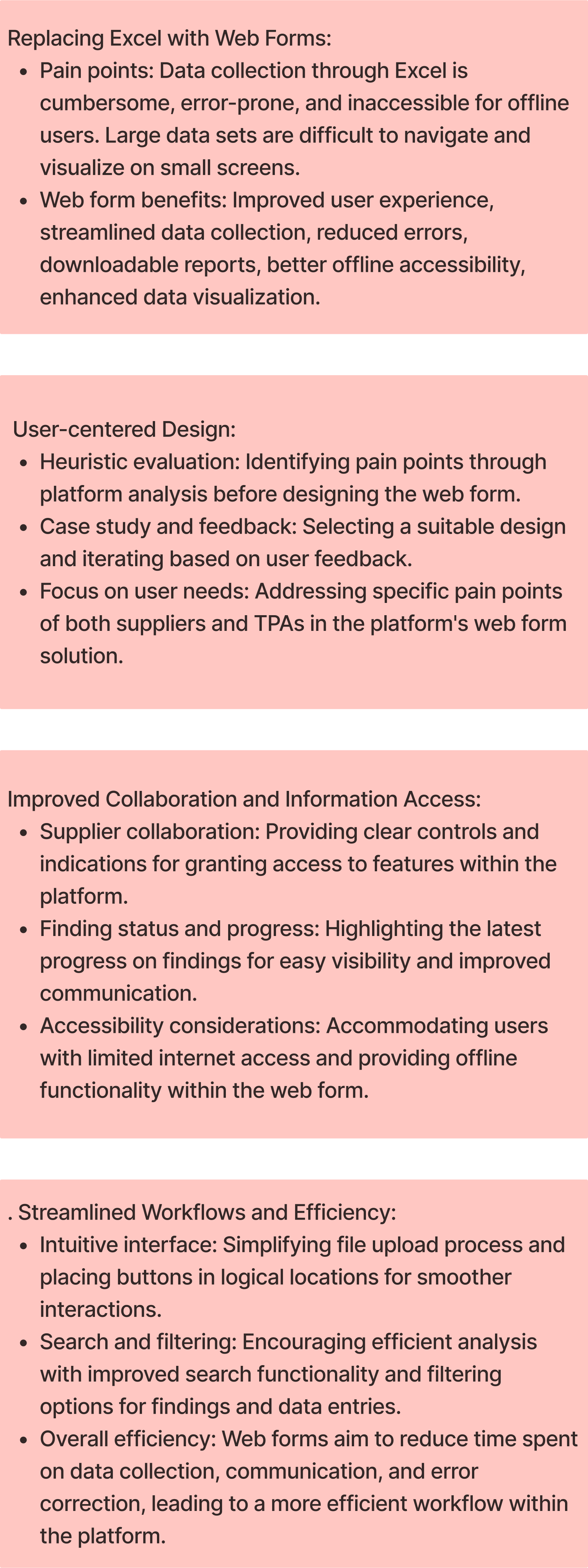
User stories are like short tales about people who use the system we're talking about. These stories help us understand what's hard or what they want. In our case, the system is about arranging visits and checks. Let's look at a few stories that show what these people need and what's tough for them.
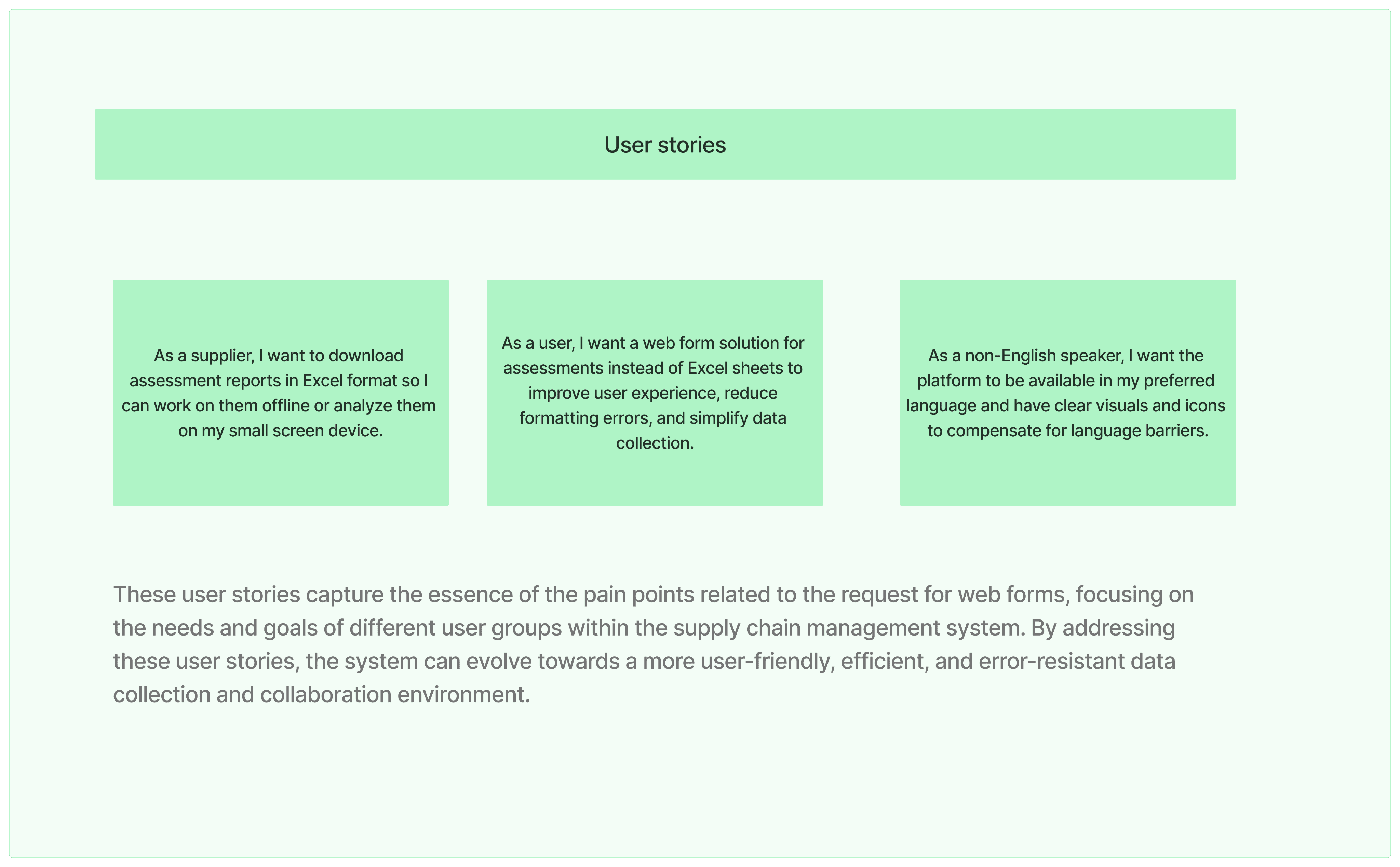

Eva Elle
Supplier
Role: Responsible for collecting and inputting data from suppliers during audits.
Pain Points:
Finds Excel data collection forms cumbersome and time-consuming.
Struggles with uploading files due to inconvenient button location.
Worries about formatting errors and inconsistencies when using Excel.
Needs:
Intuitive and user-friendly web forms for efficient data entry.
Easy access to file upload functionality.
Improved data validation and error prevention features.

Guy Mccoy
TPA
Role: Supplier representative participating in audits, often in areas with limited internet access.
Pain Points:
Unable to work effectively with Excel reports due to internet connectivity limitations.
Struggles to review large data sets in Excel spreadsheets.
Needs:
Web forms with downloadable report formats for offline work.
Improved data visualization and presentation within the forms.

Kayla Ray
Data-Entry Specialist
Role: Responsible for analyzing and interpreting audit findings gathered from suppliers.
Pain Points:
Finds reviewing large data sets in Excel spreadsheets difficult and time-consuming.
Concerned about potential errors and inconsistencies in Excel data.
Needs:
Web forms with interactive data visualization tools for easier comprehension and analysis.
Improved data export and filtering capabilities for further analysis in preferred tools.
Enhanced data accuracy and integrity to ensure reliable insights.
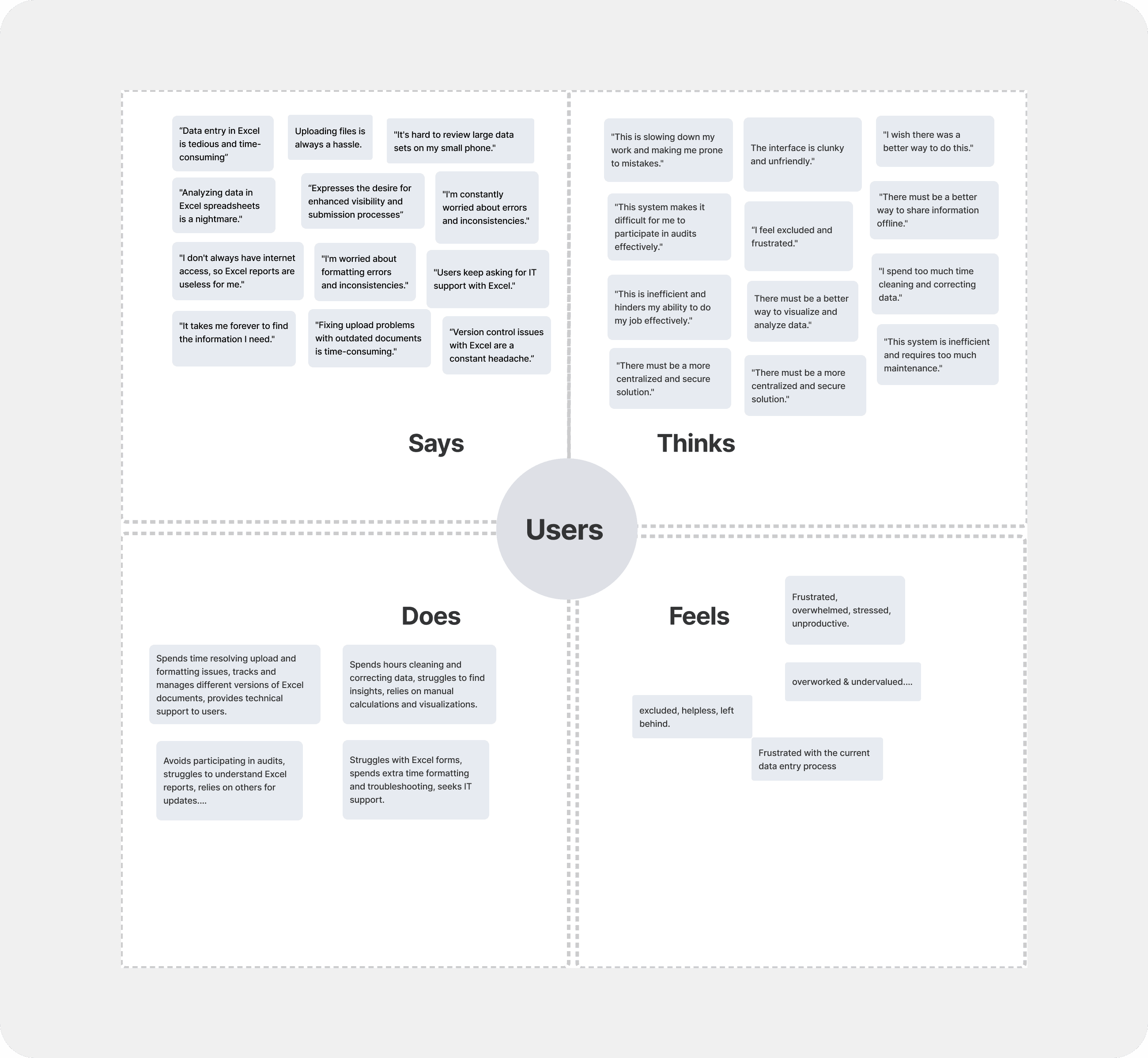
Our What, Who, When,Where, Why where and How:
Here are the 5Ws and H for the web form project
What
Project goal: Develop a user-friendly web form to replace Excel-based data collection in the supplier care audit process.
Key features: Intuitive forms, strea
mlined file upload, offline capabilities, data visualization, centralized storage, version control, error prevention.
Who
Primary users: Suppliers , Data-entry specialists, offline TPAs, data analysts.
Secondary stakeholders: Executive sponsors, management overseeing the supply chain process
When
Project initiation: After heuristic evaluation identified issues with the Excel-based system on Supplier care.
Timeline: This is not explicitly stated in the provided information, but involves phases for research, design, development, testing, and deployment.
Where
Project context:
Within the supply chain management system, specifically for supplier care audits.
Why
Address pain points: Cumbersome Excel forms, offline limitations, visualization challenges, error susceptibility.
Increase Task completion rates
Improve Data Quality
Improve user experience: Enhance efficiency, accessibility and overall satisfaction.
Reduce costs: Streamline operations and minimize IT support calls needs.
How
Project approach: Research, design, development, feedback, and iteration.
Technical considerations: Web form platform, integration with existing systems, data security, accessibility standards.
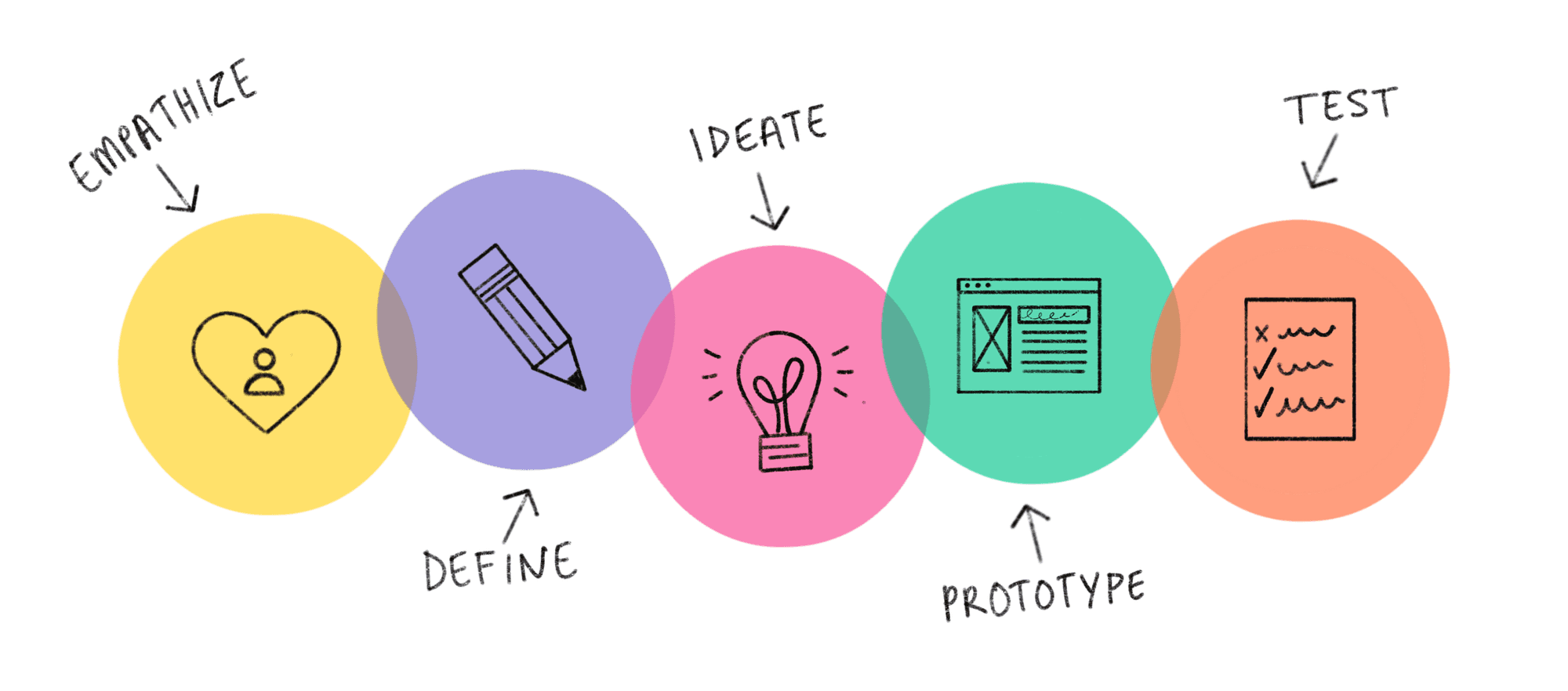
The current use of Excel-based data collection process for supplier care audits within the supply chain management system is inefficient, error-prone, and lacks accessibility for offline users.
This leads to:
Increased time and effort for data entry and analysis
Frustrations with cumbersome forms and upload processes
Accessibility challenges for suppliers with limited internet connectivity
Potential for errors and inconsistencies in data
Increased reliance on IT support for troubleshooting
Develop a user-friendly web form solution to replace Excel-based data collection.
Key features and benefits:
Intuitive forms with streamlined data entry and file upload
Offline capabilities for suppliers with limited connectivity
Enhanced data visualization for easier comprehension and analysis
Centralized storage, version control, and error prevention
Customizations
Ability to drag and drop questions
Improved efficiency, accuracy, and accessibility for all stakeholders
Reduced costs through streamlined operations and decreased IT support needs
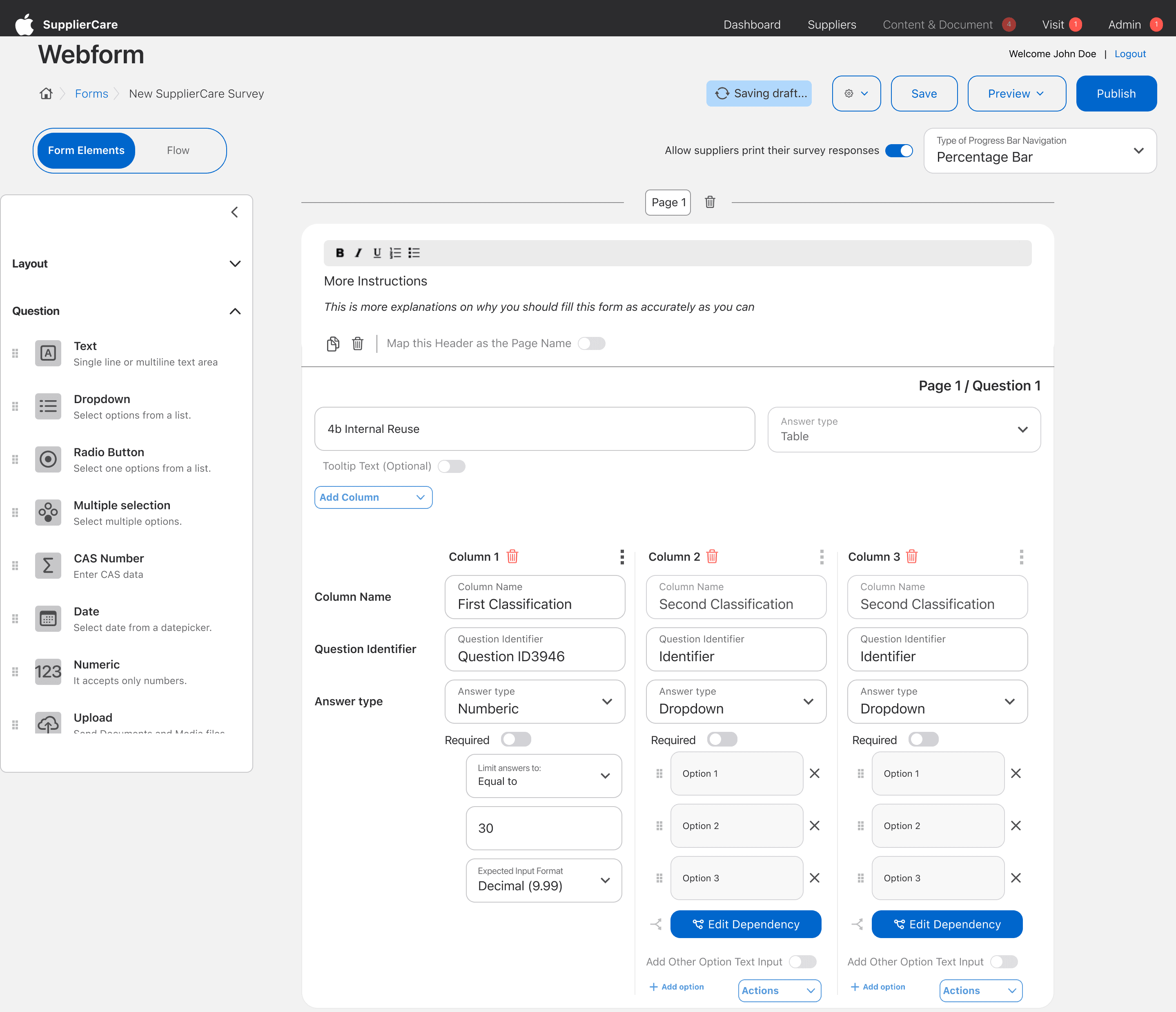
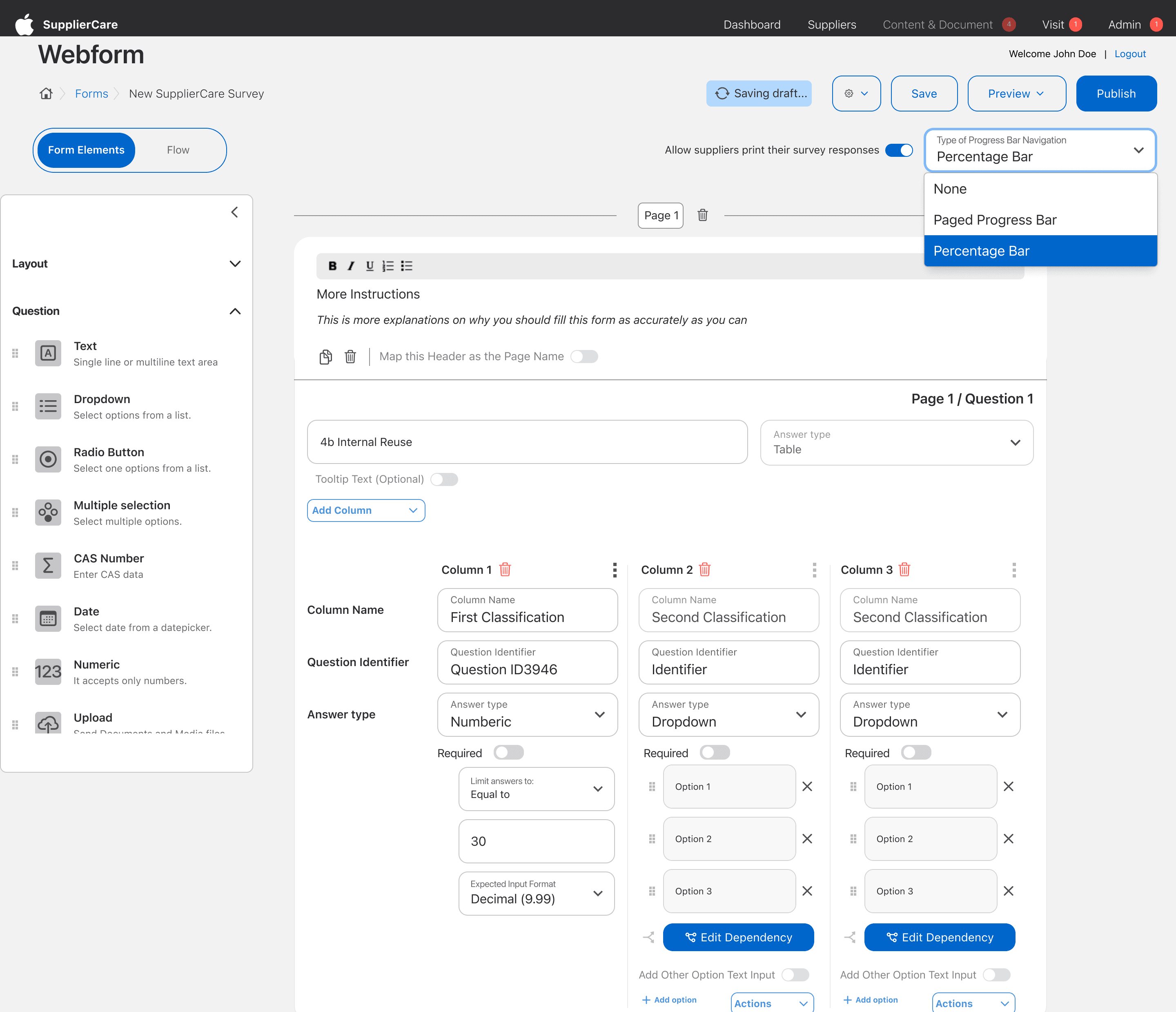
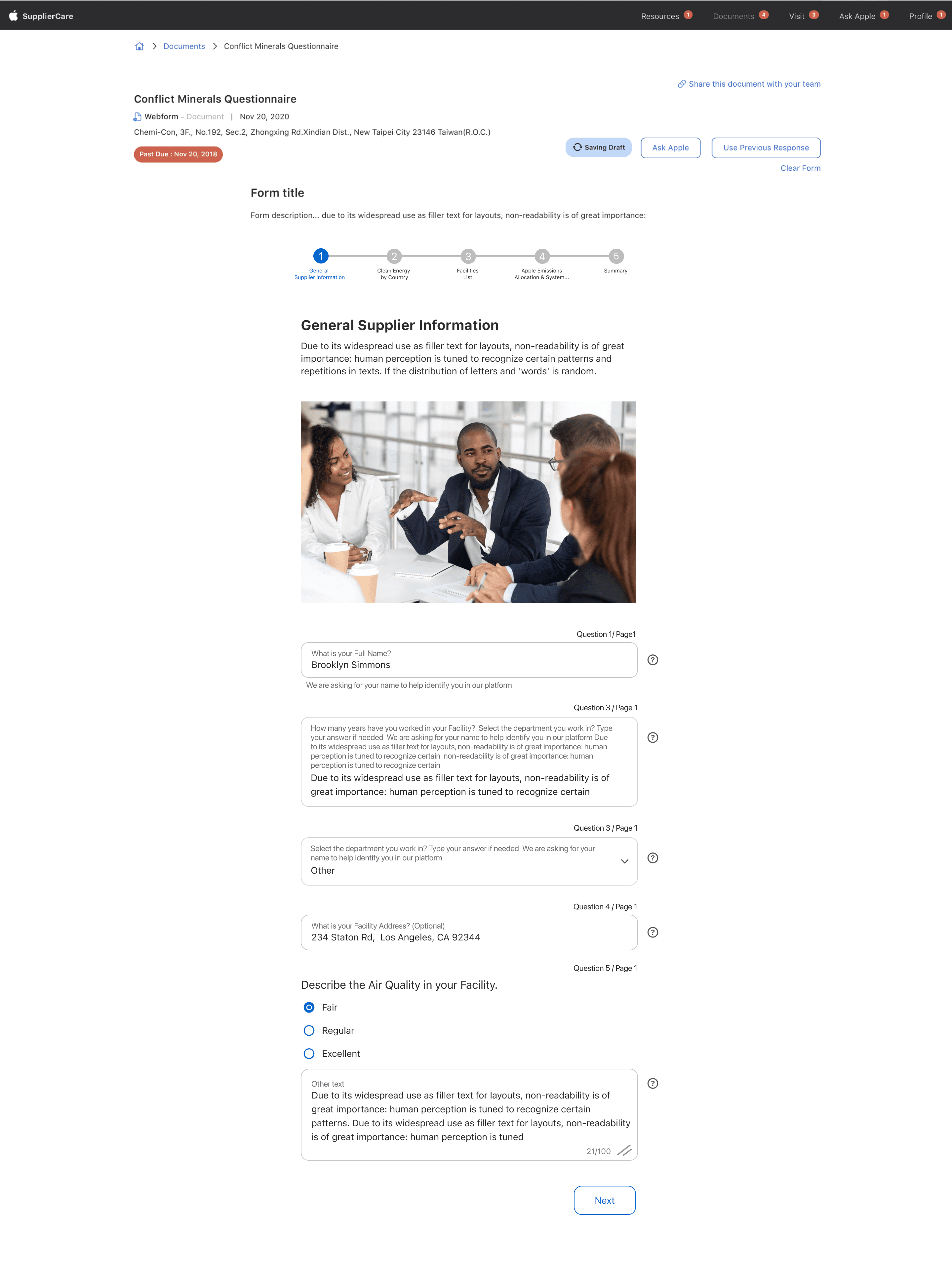
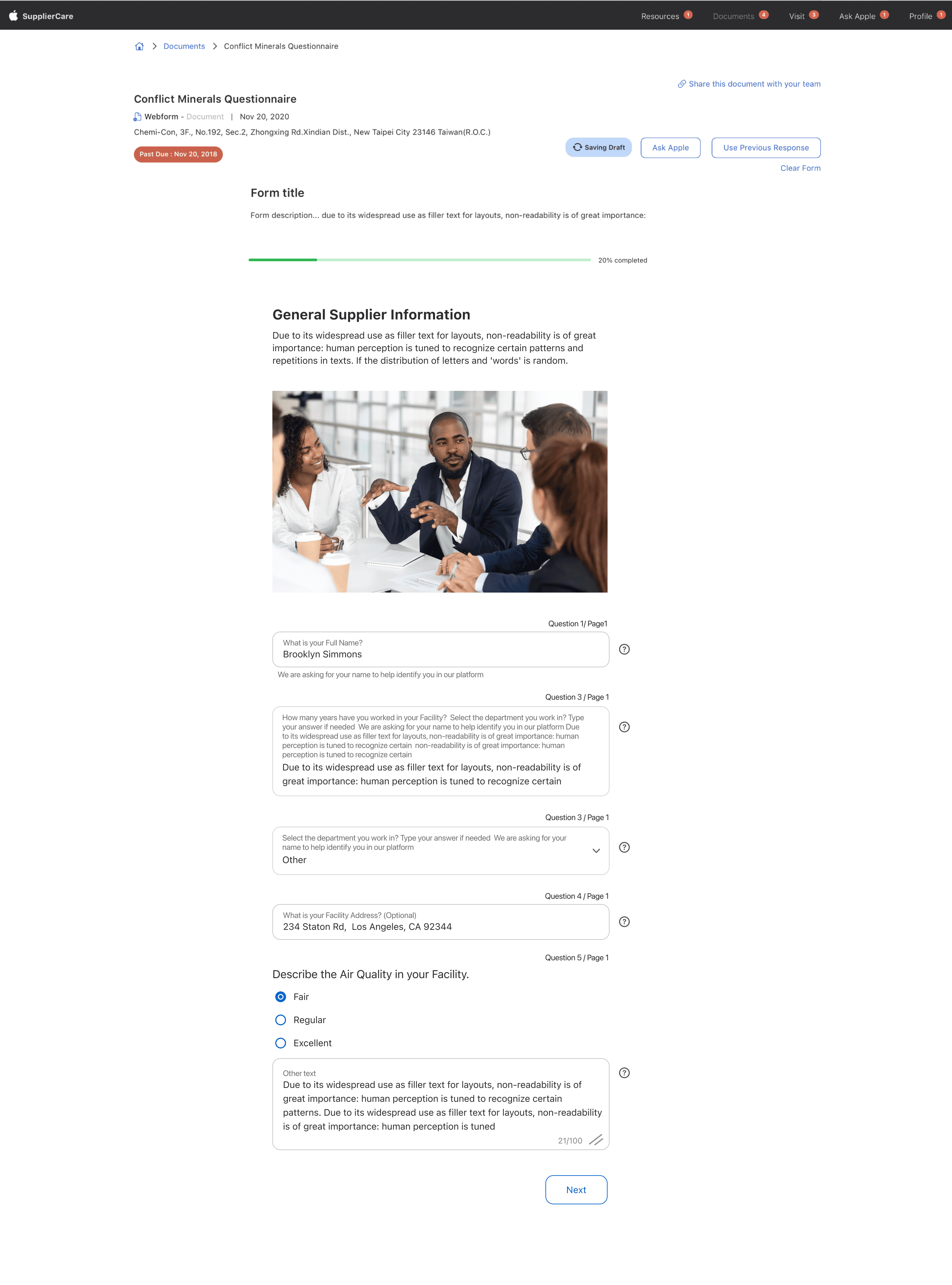
Define Success:
Success in the Webform Enhancement Project's implementation phase is the seamless integration of new features into the existing system, providing an intuitive and feature-rich experience for webform builders, administrators, and suppliers.
Track Learning: Monitor user feedback to identify areas for improvement throughout implementation, ensuring continuous refinement and alignment with evolving user needs.
Celebrate Achievements:
Celebrate the successful deployment of the enhanced webform system, positive user feedback, and improved usability, recognizing the collaborative efforts of the project team.
Plan Next Steps:
After implementation, plan for ongoing enhancements, address user feedback, and consider expanding the system to accommodate additional form types or user groups, maintaining a proactive approach for sustained user satisfaction.
Usability Testing:
Observing users as they interact with the prototypes we came up with revealed areas of confusion and facilitated enhancements to improve user experience.
We Came up with different versions so as to improve and meet the users needs
Conclusion
Comprehending the distinct viewpoints, hurdles, and aspirations of web form users is fundamental in crafting a user-centric solution. The project's objective is to enhance the current web form system, offering a platform that streamlines form creation, minimizes manual tasks, and boosts efficiency for all users. By catering to these requirements, the Webform Enhancement Project seeks to establish a valuable tool that elevates data collection processes and overall user satisfaction. The focus is on creating a user-friendly environment that simplifies the webform experience, ensuring a seamless and productive interaction for webform builders, administrators, and suppliers alike.