Apple: SupplierCare Modular Audit
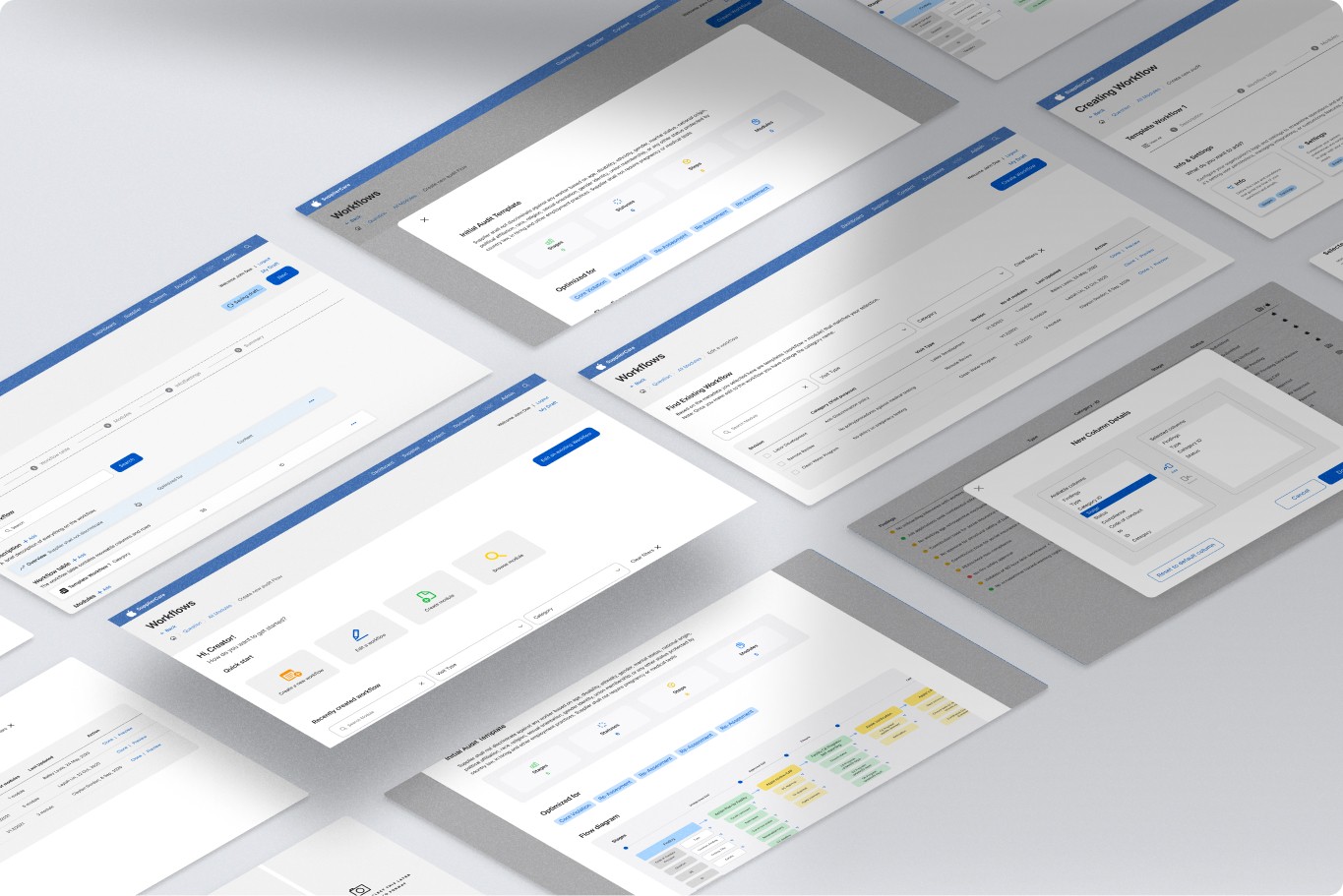
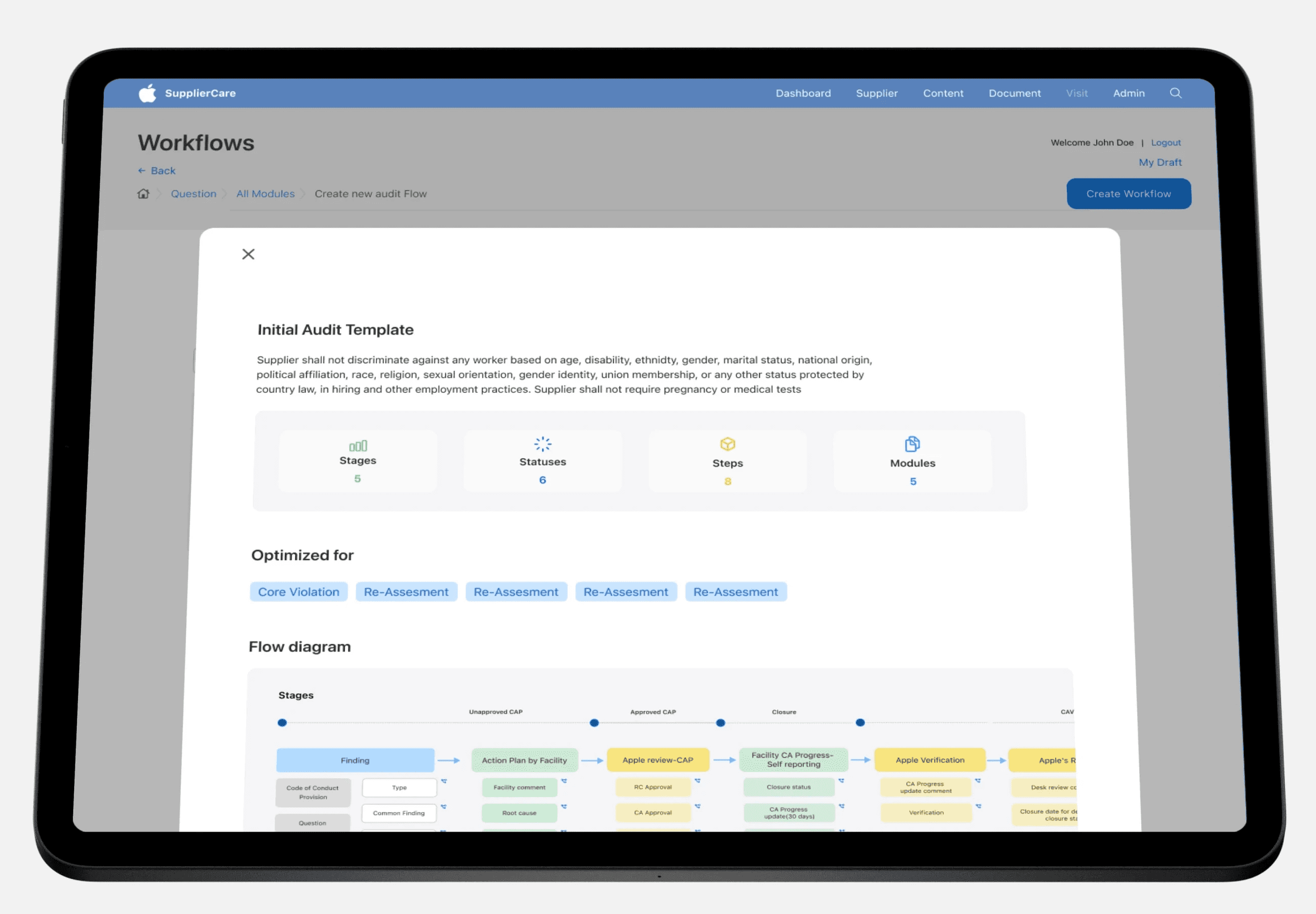
The Modular Workflow Project represents a user-centric design endeavor aimed at enhancing the efficiency and customization capabilities within existing visit management systems. This project is dedicated to simplifying the process of crafting and overseeing workflows for a range of audit types and visit objectives.
The background is rooted in understanding and enhancing the interaction between users and the system existing being developed. The UX team recognizes the significance of creating a system that not only meets functional requirements but also prioritizes the user's needs, preferences, and expectations.

Immersion
Competitive Analysis
User Interviews
Immersing (Understanding into the user's perspective)
Our main focus is to fully understand the problems and difficulties users are going through. To do this, we're actively involved in studying the specifics of their current processes, how they set up workflow in the current system, and the exact issues they're dealing with. We're making sure we don't miss anything, aiming to get a clear and detailed understanding of the current situation
Competitive Analysis
Studied competitors' workflow solutions to identify gaps and opportunities.
Example are They do and Service now and was able to analyze how they handle large data on workflows and tables.

User Interview
During our research process, we conducted several interviews to gain insights into our users' experiences with the service. These conversations served as a platform for users to openly share their thoughts, feelings, and experiences related to the service. This open dialogue allowed them to express their frustrations, concerns, and any issues they encountered during their interaction with the service.
Through these interviews, we were able to uncover valuable information about our users. We learned who they are, what they are looking for, where and when they perform audits, and how they go about setting up workflows and conducting audits. This deeper understanding of our users and their needs will help us make improvements and tailor our service to better serve them.
Identification of Theme
Crafting User Stories
Creating Persona
Targeted Audience, What, Where, When, Why
Design Insights, Suggestion, Keypoint
Painpoint
Identification of Theme
During user research and findings on workflow configuration for visit management and auditing processes, several key themes or categories emerge to better understand the pain points and desires of the users. These themes will help guide the design and development of the system to address user needs effectively. This primarily focuses on the challenges and preferences related to configuring and customizing workflows, so the identified themes are centered around this context

Crafting User Stories
User stories are like short tales about people who use the system we're talking about. These stories help us understand what's hard or what they want. In our case, the system is about arranging visits and checks. Let's look at a few stories that show what these people need and what's tough for them.
Sarah
As an admin
I want to create new workflow templates
So that I can customize them to match the specific needs of different visit types
Alex
As a Supplier
I want to have access to pre-defined workflow templates for different visit types
So that I can easily initiate audits without creating workflows from scratch.
Michael
As a TPA (Third-Party Auditor)
I want to complete compliance audits directly within the system
So that I can eliminate the need to use external tools like Excel.
Persona
This is the representation of the users, such as Admin users, TPAs, and suppliers. These personas are based on real user data and help the project team understand the diverse needs and goals of different user groups.

Sarah
Occupation: Admin
Background:
Sarah has a background in audit management and has been in the industry for over 10 years. She's responsible for ensuring that her organization adheres to regulatory standards and conducts regular audits.
Goal:
She wants to be able to make bulk import of rows for finding information when creating a template
She wants to be able to define the workflow step “DRI (directly responsible individual)”
She wants to be able to define the status & stage at each step in the workflow..
Frustrations:
Sarah finds it time-consuming to manually create and manage workflows. She needs a solution that simplifies this process and allows her to work seamlessly.

Michael
Occupation: Third-Party Auditor (TPA)
Background:
Michael is a third-party auditor who conducts compliance audits for various organizations. He has extensive experience in auditing across different industries.
Goal:
Michael desires readily available workflow templates designed for different audit types, with the goal of conducting audits efficiently and producing precise reports for his clients.
Frustrations:
Michael faces frustration with the current process, where he has to manually upload complex Excel sheets back into the system after completing audits. This manual task adds unnecessary complexity and time to his auditing workflow. He is actively seeking a solution that guides him through audits, eliminates the need for manual data entry, and ultimately simplifies the report generation process.

Alex
Occupation: Supplier
Background:
Alex works for a supplier company that provides services to various clients. Part of his role involves conducting visits for different clients to ensure they meet regulatory requirements.
Goal:
Alex aims to customize and complete audits workflow efficiently, meeting the unique needs of each client. He wants a user-friendly platform that simplifies the auditing process.
Frustrations:
Alex often receives complex Excel spreadsheets for audits, which can be confusing and time-consuming to fill out. He needs a more straightforward solution that helps him manage audit tasks effectively.
Targeted Audience
The target audience for the Modular Workflow Project includes Admin users responsible for initially configuring workflows within the audit management system, suppliers who subsequently tailor these workflows to match their specific visit requirements, and third-party auditors (TPAs) who conduct visits. Admin users are typically professionals well-versed in auditing procedures.
For TPAs, the project's objective is to replace the use of Excel with a more direct and user-friendly workflow system, simplifying their visit process and eliminating the need to transition between Excel and Supplier Care for data management.
User Interviews: We spoke directly with potential or current users(admin and auditors) to understand their needs, behaviors, and attitudes.
The purpose of the Modular Workflow Project is to address specific challenges and requirements related to the management of audit workflows and visits. In this context, through the research and interview that was don Admin users, Third-Party Auditors (TPAs), suppliers/Facilitis have distinct roles and responsibilities within the system, and they all share the common need for an improved workflow management solution
Customers will engage with the adaptable process framework via the current online portal on Supplier Care, a web app when an evaluation is required. This platform allows admin users to view, adjust, and develop workflows from any location, with or without an internet connection, improving their comfort and availability.
When an audit wants to happen users will engage with the modular workflow system when they need to design or customize workflows for audits even at different stages of audits, including planning, execution, and reporting. The timing of their interaction is crucial to providing relevant and timely customization options.
This design project is crucial because it addresses the need for an efficient and flexible workflow creation tool within the management system. The underlying motivations include improving user experience, reducing manual work, enhancing auditing processes, and meeting business goals related to visit management efficiency.
Design Insights
The interview and research data yielded valuable insights that offer actionable guidance for shaping the design and development of the Modular Audit Workflow system.

Suggestions
This represent proposed solutions or ideas to address the pain points and challenges identified in the project.

Key points
Key points represent the central topics or findings that emerge during the interview and research.

Opportunities
Potential areas for improvement, growth, or enhancement within the project

Empathy Map
This empathy map considers the feelings, needs, and pain points of different user groups in one involved in the project. These user groups include Admin users, TPAs, and suppliers/facilities.

Painpoints
Pain points are the challenges, difficulties, and frustrations that users, including Admin users, TPAs, and suppliers, experience with the existing workflow configuration process. Understanding these pain points is crucial for the project because it highlights where the current system falls short and where improvements are needed.

Solution
The proposed solutions are closely tied to the challenges and needs of the different user groups involved in the Modular Workflow Project. Let's provide more context for these solutions:
User-Friendly and Efficient Tools: Admin users, TPAs, and suppliers share a common desire for tools that are easy to use and don't require extensive training. The existing system might be cumbersome, so the project aims to create an interface that simplifies workflow management. The solution here is to design an intuitive and user-friendly platform that caters to the needs of these diverse users.
Transition from Excel: TPAs specifically face challenges with Excel, which can be time-consuming and error-prone. They often have to switch between Excel and Supplier Care for data management. The solution is to provide TPAs with a more direct and efficient system offline and online that eliminates the need for Excel, streamlining their workflow and reducing potential errors.
Streamlining Workflow Customization: Workflow customization is essential for all user groups. Admin users need to configure workflows to match audit requirements, TPAs need to adapt them for specific visits, and suppliers need to tailor workflows to their specific needs. The solution involves creating a system that simplifies the customization process, making it easy for users to define, edit, and manage workflows according to their unique needs.
Timing and Relevance of Customization: Users engage with the system at various stages of audits, including planning, execution, and reporting. It's crucial that the customization options are available at the right time and are contextually relevant to the stage of the audit. This solution focuses on ensuring that users can make changes and adaptations precisely when they need to, improving efficiency and effectiveness.
Overall, the objective of the Modular Workflow Project is to address the pain points of different user groups by providing them with a highly efficient and customizable system. The desired outcome is a user-friendly, streamlined platform that simplifies the process of designing, editing, and managing workflows for various audit types. The project aims to enhance productivity, reduce manual work, and improve the overall user experience, aligning with the broader business goals related to visit management efficiency.
User Flow
User Journey Map
Wireframes & Sketches
Information Architecture
Design
Validation and feedback
In the design stage of Modular Audit's system, we're focused on creating features that directly respond to user needs for clarity and engagement. We aim to introduce intuitive design elements that make navigating and using the system a seamless and enjoyable experience.
Userflow

User journey map
Journey maps depict the step-by-step experiences of these personas as they interact with the Modular Audit Workflow system.

Sketches & Wireframes


Information architecture

Design


Usability Testing:
There were several development reviews in the useability testing stage, and
Observing users as they interact with the prototypes we came up with revealed areas of confusion and facilitated enhancements to improve user experience.
We Came up with 4 different versions so as to improve and meet the user's needs
Define Success: In the delivery stage of the Modular Audit Workflow project, success is defined as the successful deployment of the user-friendly interface for designing and managing workflows. Success means that Admin users, TPAs, and suppliers can seamlessly create, edit, and manage workflows tailored to specific visit types. This definition of success aligns with the project's purpose of streamlining and customizing workflows.
Track Learning: As the project is delivered, it's essential to track how users are adapting to the new system. This involves monitoring user feedback and their interactions with the interface. Learning from users helps in making necessary adjustments to ensure the system aligns with their needs.
Celebrate Achievements: Achievements in the delivery stage include successfully launching the project and ensuring that users find the new workflow system intuitive and efficient. Celebrations can include acknowledging the hard work of the project team and recognizing the positive impact the system has on users' productivity.
Plan Next Steps: Once the project is delivered, it's crucial to plan for the next steps. This may involve continuous improvement, addressing any issues that arise, and expanding the use of the system across various audit types and additional user groups.
Scale-Up: The evolution of the Modular Audit Workflow project involves scaling up its usage. This means making the system available for more audit types, divisions, and potentially extending its reach to other areas of the organization where workflow management can be optimized.
Remind People What Changed: As the project evolves, it's important to remind users of the ongoing improvements and any changes made to the system. Communication helps users stay informed and adapt to updates effectively.
Build Network: Building a network of users and stakeholders who actively engage with the project is essential. This network can facilitate discussions, gather feedback, and ensure that the system continues to meet the needs of Admin users, TPAs, and suppliers.
Conclusion
Understanding the unique perspectives, challenges, and aspirations of these users is crucial in designing a user-centered solution. The project's purpose is to improve the current and provide a platform that simplifies workflow design, reduces manual efforts, and enhances productivity for all users involved. By addressing these needs, the Modular Workflow Project aims to create a valuable tool that improves auditing processes, and client satisfaction across the board.

Module
Flexible ways to add modules to the workflows